



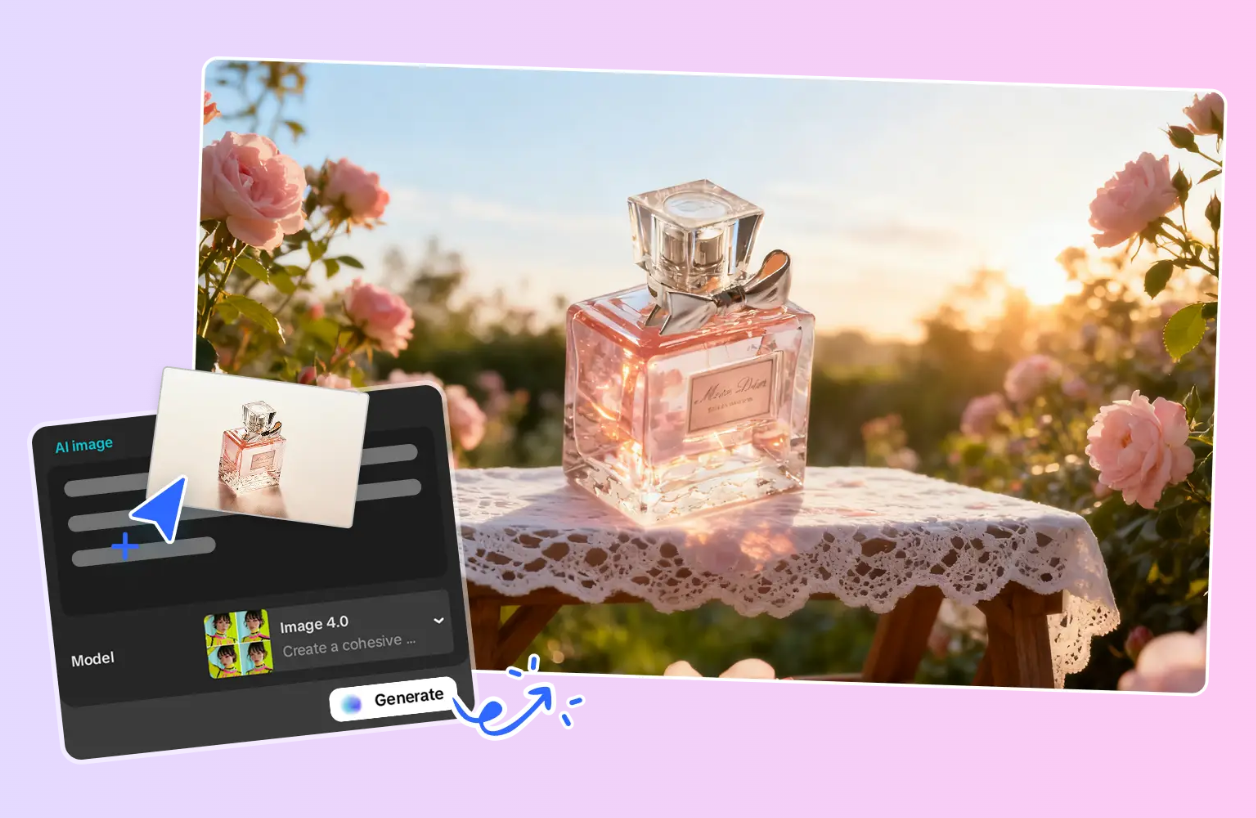
Entering the world of product photography can be overwhelming, especially with the sheer number of software solutions available. As a professional, I understand how challenging it can be to identify the right tools to get started. Through years of experience and hands-on testing, I’ve evaluated a wide range of tools designed to help beginners not only create product backgrounds but also achieve a high level of quality in their work. Below, I’ve curated a selection of the most effective and user-friendly free AI background generators that will elevate your product photography from the very start.
Summary
Key Takeaways
This is a preview of some of my top choices that provide powerful tools with user-friendly interfaces, which can be used by anyone like me who is just getting into product photography.
| Tool | Key Features | Best For |
| CapCut | Fast and easy editing with powerful AI tools for background removal, ideal for producing professional visuals without complexity. | Beginners and professionals looking for ease and quality |
| Pixelcut | Balances AI tools with simplicity, providing professional-level results without the steep learning curve. | Users who want pro-level results without complexity |
| Fotor | Cloud-based image storage and mobile editing, perfect for working on projects anywhere and improving skills. | On-the-go editing and skill development |
| PhotoRoom | Simple tools and free options, making it easy for beginners to understand the basics of product photography without any upfront investment. | Beginners exploring basic product photography |
| remove.bg | Offers a range of editing features, from basic background removal to advanced options like selective edits and healing. | Users needing both simple and advanced editing capabilities |
| Pacdora | Customizable recommendations and unlimited diversity, ideal for experimenting with different lifestyle scenes at a lower price point. | Experimenting with lifestyle scenes and cost-effective editing |
| LightX | Provides high-quality studio results with AI that intelligently detects and focuses on the product without manual adjustments. | High-quality, automated product-focused editing |
| Pincel | Offers an innovative, artistic approach to product settings, with strong artistic flair for product photography. | Creative product photography with an artistic touch |
| BackgroundCut | Bulk processing for large-scale catalog editing, streamlining high-volume background removal tasks. | Large-scale, catalog image editing |
| Claid.ai | AI-driven scene matching and upscaling, perfect for enhancing product images with contextually accurate backgrounds. | Enhancing product images with AI-based scene matching |
Testing The Top 10 Stunning AI Background Generators to use in products
In this article, I personally tried all the popular recommended free AI background generators. All of them have been interchangeably used by me through the years, depending on what particular editing is required on a particular product image. This implies that I have reviewed based on long-term experience and not a short-term test.
In choosing the most quality free AI background generators to use in products, I have taken into consideration the following:
- Ease of use
- Not excessively loaded with pro characteristics
- Affordability
- Functional enough as you develop your capabilities
Looking at these requirements, you will not see such complicated systems as Adobe Firefly or Midjourney, which, despite being among the finest in 2025, may confuse novices and complicate the learning process. The objective is to ensure that the editing process is fun and interesting without the frustration of using too high-end tools when you are not up to it.
The software suggested in this post is popular, and at the same time, they have strong features that will help you grow. These tools will not go out of date even when you get to the intermediate or pro level. I have loved creating products for more than a decade, and I envision myself using these apps even in the next several years.
- CapCut – The most suitable one with AI-powered backgrounds of products
Pros
- Converts text to stunning product backgrounds, driven by Seedream 4.0 to ultra-realistic results with a theme-based approach.
- Layers and effects are automated with the Advanced AI Design Agent. Recommends composition, colors, and transitions specific to your product.
- Provides thousands of different templates of products. Categorizes all the niches, such as jewelry, apparel, and saves a lot of design time.
- Export up to 8K quality high-resolution images. Delivers clean and business-like work that is ready to publish on any source or display.
Cons
- Certain pro-level AI capabilities are behind CapCut Pro. The free version is good; however, the premium allows full creativity.
- Needs a stable internet connection to use cloud-based AI tools. Background generation requires a connection, whereas offline editing does not.
Key Features
- Background generator: It generates images based on a natural language prompt, and it produces high-quality, product-optimized backdrops that can be used to improve the appearance of e-commerce.
- Transparent background maker: This is an edge-detection remover of original backgrounds that generates clean PNGs suitable for use in new product scenes.
- Advanced Seedream 4.0 AI Image Model: It is a highly realistic image generation that generates an image with increased visual quality and realistic output in product photography.
- Smart AI Design Tool: This automatically directs layout, colors, and composition by ensuring a product image is well-balanced and good to look at.
- AI Color Correction: AI-powered exposure, contrast, and saturation corrections provide a way to paint products vibrantly and realistically.
- Delete Background with a Single Click: The subject is detected, and the background is erased smoothly with one-click product isolation.
- Switch Product Styles with ease: switches between old-fashioned and modern aesthetics to fit the branding of a product.
- Export to Social Media Sites in a Click: Allows exporting directly to the platform of choice, making workflows handling the listing of products easier.
Available on: Windows, macOS, Web, iOS, Android
Overall: 4.9/5
Beginner-Friendly Tools: 5/5
Price: Free, but a premium is offered as CapCut Pro
Personal Experience
I have been using CapCut to generate product backgrounds using a free AI product background generator for months, and it has been my daily solution. A plain sneaker shot was transformed into a neon-illuminated street scene within 20 seconds using the AI background generator. Laces and mesh were neatly separated with no edge artefacts using the transparent background maker. I used AI colour pop on 15 jewellery photos and exported 8K PNGs that can be used on Shopify. Free boundaries never held me back.
- Pixelcut
Pros
- Potent AI functions of product improvement and manipulation.
- Removal of objects, motion tracking, and the replacement of the sky are included and are precise.
- Fully customizable user interface.
- Customise workflows and layouts that match your work style.
Cons
- It is more difficult to learn without prior background knowledge.
- Full of features that can be daunting initially.
- Casual users find the one-time purchase price high.
- The full version is more expensive than subscription-based alternatives.
Key Features
Quick-to-Scene Engine: Translates text descriptions into lifelike product backgrounds in a few seconds.
Auto Background Removal: It identifies and removes original backgrounds with edge perfection.
Preset Library: Provides 50+ free product-oriented scenes that can be immediately applied.
Shadow & Reflection Simulation: Automatically generates realistic shadows and light effects.
Web-Optimized Export: provides optimized JPG/PNG files that can be used in e-commerce.
Social Preview: Displays the visuals of the product on Instagram, Amazon, or Shopify.
Undo History: Can easily reverse changes in the process of editing.
Available on: Web, iOS, Android
Overall: 4.7/5
Beginner-Friendly Tools: 4/5
Price: Free with limits
Personal Experience
I restored old phone pictures of ceramics using Pixelcut AI background generator. Wrote sunlit kitchen counter, and it created a cosy, rough background with opportune shadows. A distracting spoon was perfectly removed with object removal. Shots of 720p were upscaled to 4K without blur. Reaches the daily limit once, but it resets quickly, perfectly when I have to polish my pro in a hurry.
- Fotor
Pros
- Works fully in the browser without a download. Editing can begin immediately on any internet-enabled device.
- Allows collaborative work in teams in real-time. Several users can make changes, comment and approve a single project.
- Produces AI-enhancements. Automatically filters and corrects product images.
- Incorporates library access to stocks. Drag and drop assets into product scenes.
Cons
- A subscription is required to access full features. The free plan restricts the quality of exports, and watermark removal is only done at the paid levels.
- Minimal workability during an offline session. The entire AI tools and cloud assets require a functional internet connection.
Key Features
Scene Suggestion Engine: Suggests backgrounds based on color profile and product type.
Background Eraser: It adds feathered edges to blend with new scenes seamlessly and naturally.
Color Harmony Tool: Auto tone balancing of product and background.
Preset Galleries: These are studio, bokeh, outdoor, and lifestyle settings.
Generative Fill: Fills empty spaces with contextual props (e.g, plants, shelves).
Format Converter: Generates files formatted with either a web, print, or social media format.
Creative Filters: Adds post-generation effects, such as glow or vignette.
Available on: Web, iOS, Android
Overall: 4.6/5
Beginner-Friendly Tools: 4/5
Cost: Free; Pro starting at $8/month.
Personal Experience
On the Fotor AI background generator, I edited the skincare line of one of my clients in a coffee shop by simply using the browser tab, which removes a messy shelf, drops in a marble vanity, and automatically balances skin tones. I was making comments in real time with my teammate, and we exported HD in ten minutes. No apps installed, pure speed only.
- PhotoRoom
Pros
- Offers more than 1000+ customizable product templates: predefined ads, listing and social post designs.
- Intelligent instant removal and replacement. Transforms messy shots into clean product images.
- Provides cross-platform accessibility. Project sync, edit on web, iOS, or Android.
- Incorporates a huge stock library. Automatically proposes free royalty backdrops to products.
Cons
- There are watermarks in free exports. Needs to upgrade to Pro to eliminate branding in results.
- Lacks extensive manual control of lighting. Suited to template-based edits, not to custom illumination.
Key Features
Instant Removal: Removes backgrounds and creates clean white or transparent backgrounds.
Studio Templates: Sells Amazon, eBay, and Etsy-compliant white backdrops.
Batch Automation: 50 or fewer product images can be processed at once.
Shadow Options: Provides soft, hard, or no shadow effects.
Crop & Resize: Automatically resizes images to fit a particular marketplace.
Export Quality: Free tier supports up to 2K.
Team Sharing: Allows shared folders of shared product workflows.
Available on: Web, iOS, Android
Overall: 4.3/5
Beginner-Friendly Tools: 5/5
Price: Free, watermarked; Pro, starting at $7/month.
Personal Experience
I created 30 wearable mockups within an hour using the templates of PhotoRoom. Posted shabby hanger photos, AI edited them, and I fell into beach lifestyle presets. Auto-Resize fits Instagram and Amazon ideally. Free exports have watermarks, but Pro is worth the volume.
- Remove.BG
Pros
- Subject detection at pixel-precision. Has dexterity with hair, glass and fine details.
- No registration is required to start using it. Instant access via the web.
- High-res free previews. API for automation.
- Integrate into workflows.
Cons
- No built-in scene generation. Removal only in the free tier.
- Lower resolution limits. Full HD requires credits.
Key Features
AI Subject Detection: Identifies multifaceted product shapes such as hair, glass, and mesh.
Transparent PNG Output: Generates files that are ready to be layered and have perfect edges.
Batch API: Provides scripted automation with large scale product processing.
Preview Editor: Gives the ability to edit the edges and then complete the downloading.
Download History: Stores previous jobs so that they can be easily re-accessed and re-exported.
Integration Support: Integrates with Zapier, Shopify, and WooCommerce.
Color Replace Tool: Immediately changes solid background colors.
Free Tier Access: Gives 50 credits each month on standard-resolution exports.
Available on: Web
Overall: 4.4/5
Beginner-Friendly Tools: 5/5
Price: Free with limits
Personal Experience
I combined Remove.bg with other tools for lace dresses. It separated sheer fabric and flyaway threads within a single click of the edges. Obtained clear PNGs, stacked into scenes. Free res is a web-based application; the API saves hours on repetitive tasks.
- Pacdora
Pros
- AI suggests product-balanced backgrounds. Examines the shape and colour of the item.
- Unlimited free generations. No daily caps.
- Realistic depth and shadows. Studio-like rendering.
- Side-by-side comparison: Preview multiple options.
Cons
- Mobile interface is less sophisticated. The web performs better.
- Export capped at 2K, Free resolution limit.
Key Features
Recommendations: Recommendations are made by category, shape, and color of the product.
Auto-Removal: Intelligent edge treatment to clean the subject.
Scene Library: Provides a large library of complementary lifestyles and studio backdrops.
Depth Simulation: Gives the 3D effect of shadows and perspective.
Multi-Image Upload: Uploads a series of product images at a time.
Preview Mode: This shows side-by-side views before final selection.
Trend Integration: Auto pulls popular e-commerce visual styles.
Available on: Web, iOS
Overall: 4.2/5
Beginner-Friendly Tools: 4.5/5
Price: Free
Personal Experience
Pacdora AI background generator proposed a wooden table for my homemade soaps, which I nailed down the sound. Textured labels are removed neatly. Selected one of three previews and exported. 2K cap fine to make shots on Etsy premium.
- LightX
Pros
- Spot minute product information, ideal jewellery and accessories.
- Present variety Studio to lifestyle scenes.
- Under 10-second processing, providing instant results.
- Zero learning curve. You need to upload and generate.
Cons
- Limited custom prompts, preset-focused for free.
- App exports primarily. The web is slightly slower.
Key Features
Content-Aware Detection: It can effectively isolate small and complex products such as jewelry.
Preset Backgrounds: Uses one-click professional backgrounds, which are part of a library of backgrounds.
Prompt Mode: Basic text generation of custom scenes.
Lighting Adjustment: Adjusts new backdrop lighting to the product by natural means.
Bulk Generator: Processes up to 8 images of products at once.
Enhance Tools: Has sharpen, color, and exposure effects after a swap.
Share Integration: Sends to Google Drive or social sites.
Available on: iOS, Android, Web
Overall: 4.3/5
Beginner-Friendly Tools: 5/5
Price: Free
Personal Experience
LightX AI background generator turned my ring catalogue to shine. Posted 20 macro shots, and it can detect isolated gems and chains flawlessly. Lighting is automatically adjusted, and Applied Velvet is on. Bulk exported in 2 minutes. Basic prompts, but presets were 95% of the requirements.
- Pincel
Pros
- Non-realistic creative styles, watercolour, sketch, and neon effects.
- Full prompt control, Custom artistic scenes.
- No generation limits, free unlimited use.
- Unique outputs, different from stock.
Cons
- Not photorealistic, artistic focus only.
- Slower render times, complex styles take longer.
Key Features
Style Transfer: Adds artistic filters such as watercolor, sketch, or neon in product scenes.
Quick Generator: Text control of unique, creative backgrounds.
Layer Support: Overlays several objects (text, props, effects) on the bottom scene.
Color Palette Extraction: To harmonize the design, extract the dominant colors of the product.
Export Variety: Exports PNG, SVG, and high-res JPG.
History Access: Enables revising and remaking previous generations.
Community Sharing: Allows users to share and import custom styles.
Free Forever Model: Unlimited access with no levels or paywalls.
Available on: Web
Overall: 4.1/5
Beginner-Friendly Tools: 4/5
Price: Free
Personal Experience
Pincel made my candles appear to have been hand-painted. Mentioned vintage botanical water paint, received a branded background. Overlays of text and exported SVG, not because of realism, but just the right fit to be noticed on Instagram.
- BackgroundCut
Pros
- 100+ images in a process. Catalog-scale efficiency.
- CSV and API upload, fully automatable.
- Diverse branding Variable outputs.
- None of the watermarks, and clean, free exports.
Cons
- Web-only access, no mobile app.
- No frills scene choices, Understated.
Key Features
Bulk Removal: Removes 100+ product images in one automated batch.
CSV Mapping: Uses stored scenes using a spreadsheet.
API Access: Allows complete programmatic access.
White/Transparent Defaults: Generates clean-studio or alpha-channel files.
Folder Sync: Auto-exports with Google Drive and Dropbox.
Queue System: Processes unlimited jobs and has no restrictions per day.
Export Log: Monitors all the files that are processed with downloadable reports.
Team Accounts: Allows multiple users with role permissions.
Available on: Web
Overall: 4.2/5
Beginner-Friendly Tools: 4/5
Price: Free
Personal Experience
BackgroundCut AI background generator handled my 200-piece apparel drop overnight. Added CSV, set white studio, woke up to clean PNGs. Never any visible shadows, no watermark. Not inventive, but impossible to defeat in magnitude.
- Claid.ai
Pros
- Auto-matching scenes with products. Scans items and proposes the best backdrops.
- AI scaling to 4K, which improves low-res images.
- Image enhancement: Batch enhancement improves images.
- E-commerce optimized, platform-ready outputs.
Cons
- Daily credit system, refreshed after 24 hours.
- Minimal fashion diversity prefers realism.
Key Features
Scene Matching: Automatically suggests ideal backdrops based on product analysis.
AI Upscaling: Enhances low-resolution product photos up to 4K quality.
Batch Enhancement: Improves lighting, color, and sharpness across multiple images.
Lighting Correction: Balances exposure and white balance for consistency.
Export Presets: Includes templates for Amazon, Shopify, and Instagram.
Daily Credit System: Refreshes automatically for continuous free use.
Realism Focus: Prioritizes photorealistic outputs over artistic styles.
E-commerce Optimization: Generates platform-compliant, conversion-ready visuals.
Available on: Web
Overall: 4.4/5
Beginner-Friendly Tools: 4.5/5
Price: Free with credits
Personal Experience
Claid.ai took old photos of gadgets (480p) and increased their resolution to 4K and overlaid them on scenes of a modern technology desk. Image processing, Batch auto-tilt 25 images. Credits are renewed every day, sufficient for my working rate.
Signing Off
The choice of an AI background generator depends on individual needs and project requirements. This evaluation is based on several key factors — ease of use, absence of overly complex professional features, affordability, and sufficient functionality for users developing their creative capabilities — making it a practical and balanced choice for both beginners and experienced editors.
Among free options, CapCut AI background generator stands out for its ability to generate product backgrounds with precision and speed. It combines advanced AI editing capabilities with an intuitive interface, allowing users to create professional-quality visuals efficiently without requiring extensive technical knowledge.
FAQ
What is the most useful free AI background generator to use with products?
The best free option to go with is CapCut due to its one-click AI background generator and easy-to-use drag-and-drop timeline. I have made dozens of professional-quality product images without having spent a penny, and the free version does not compromise the quality of pro-quality visual results.
How to make professional product visuals using a free AI background generator without any experience?
Begin with CapCut’s AI background generator by typing a prompt, choosing a style, and having Seedream 4.0 create a custom scene within seconds. Upload your product, fix colors with AI correction, and export. The entire process will finish in less than 10 minutes, even with complete newcomers.
What is the fastest product e-commerce content generator AI background?
CapCut AI background generator takes speed: create a background, replace it with a single click, make auto-sweetener improvements, and post to Shopify or Instagram. I have been taking less than five minutes to complete product listing without leaving the app.
